Keep pressing the ESC key until the BIOS appears.
Find the smart fan mode by the following steps and set values of what you expect to
Menu: Advanced——>Hardware Monitor——>Smart fan mode
P.s.
PWM (Pulse Width Modulation) is a commonly used method of motor speed control. In fan startup, the PWM setting value determines the fan startup speed. For example,PWM values of 60 and 120 respectively represent different start-up speeds.
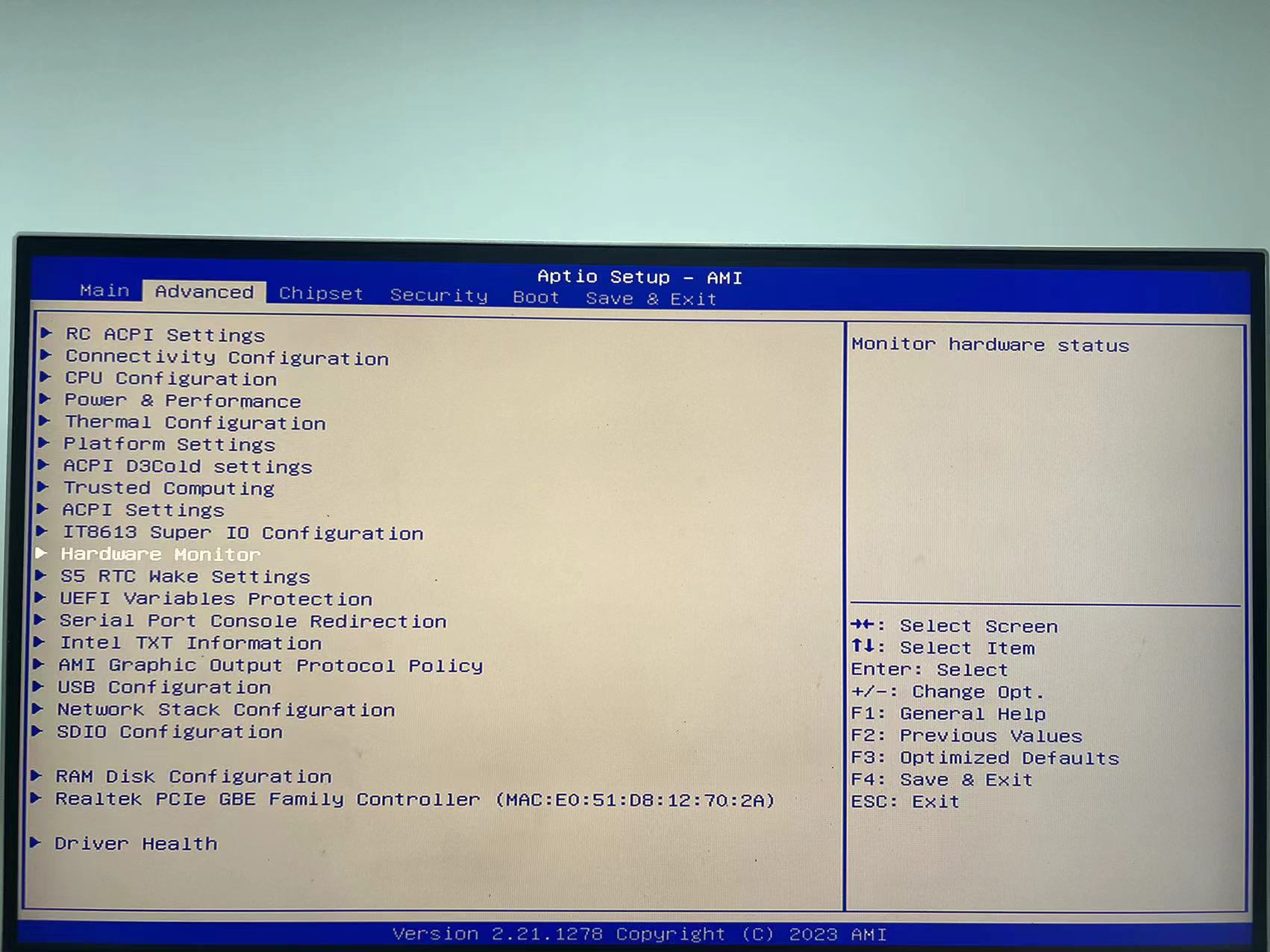
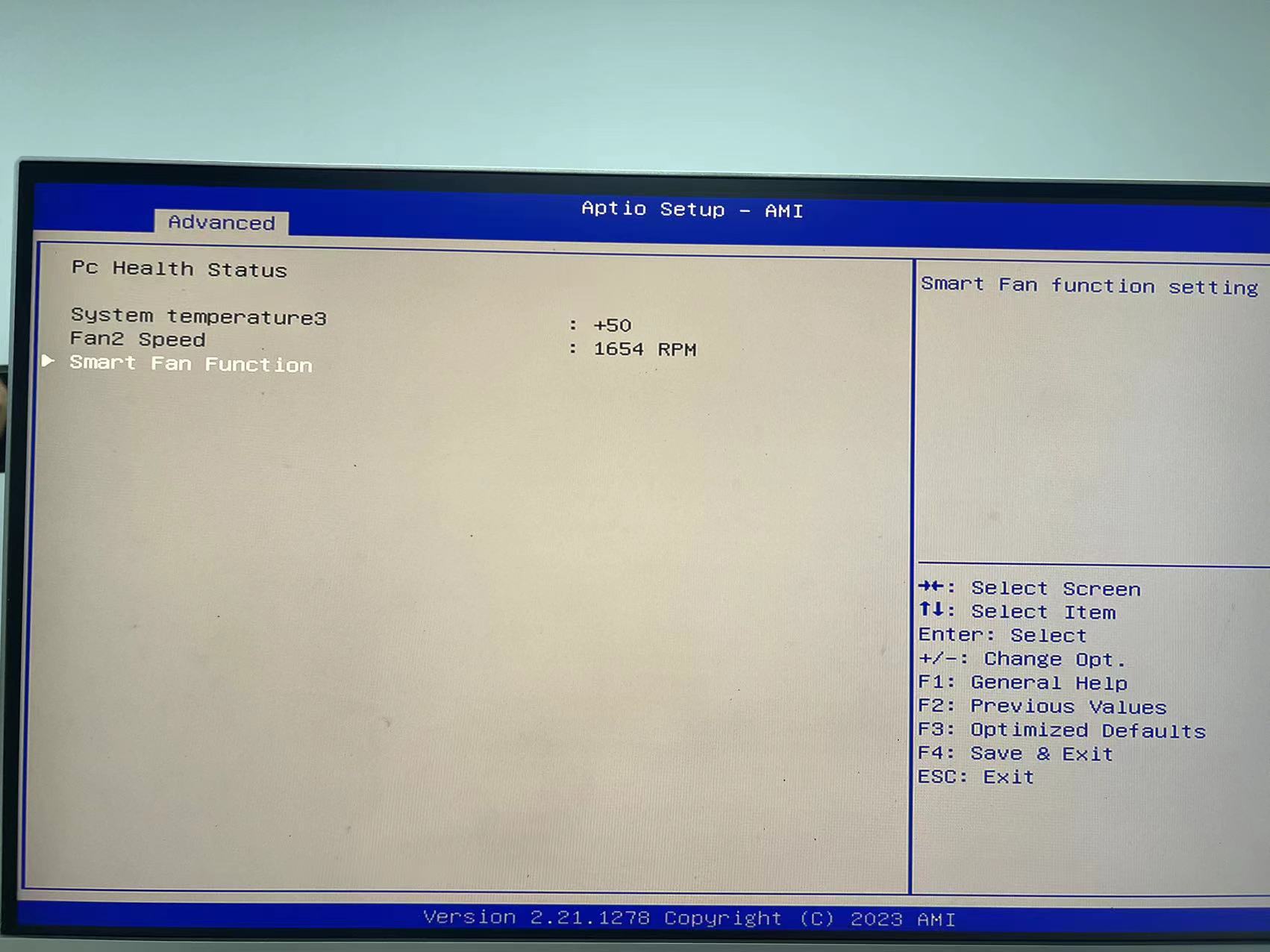
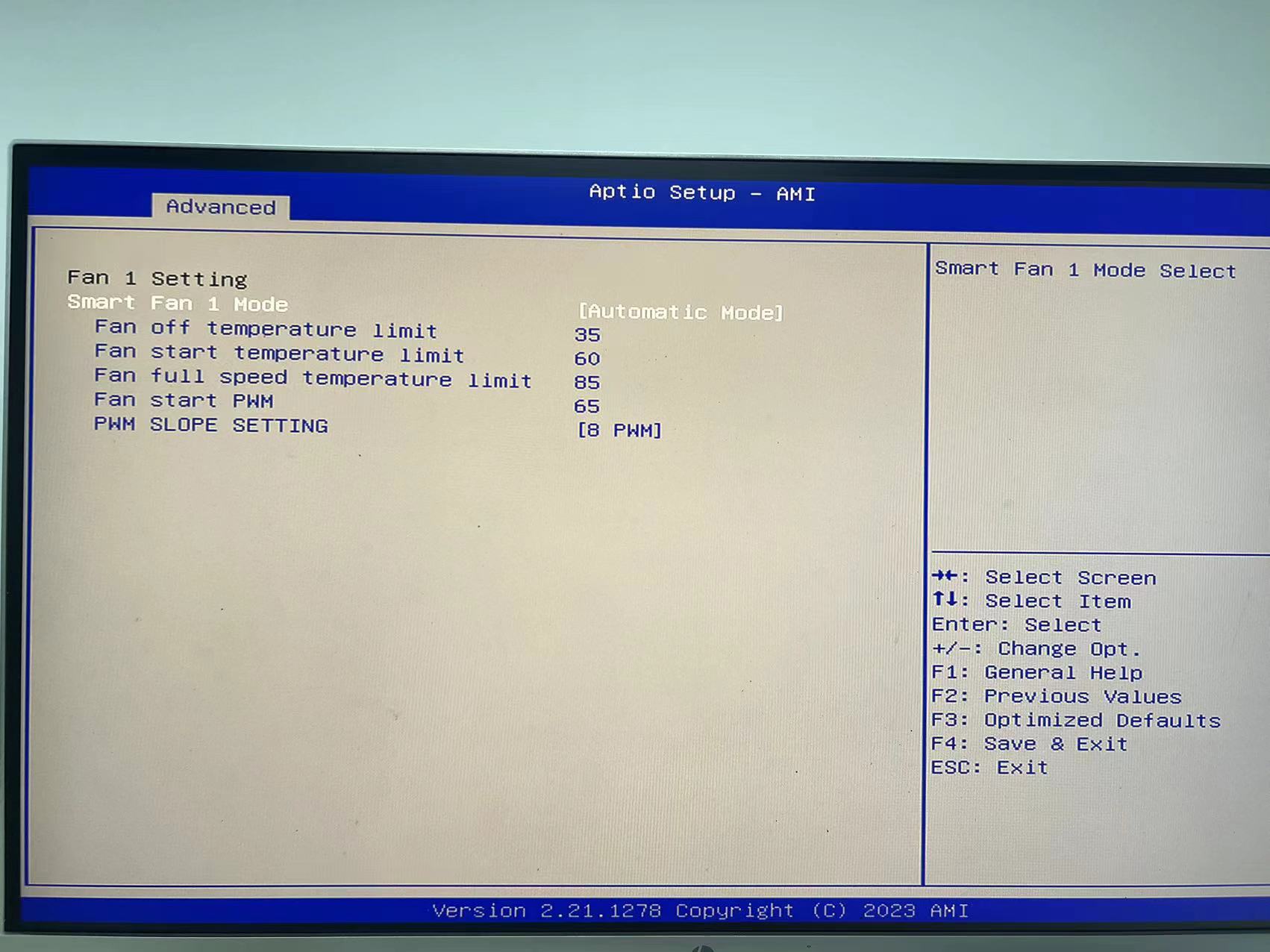
You can change the fan speed by adjusting Fan start PWM
Smart Fan 1 Mode
Current selection: [Automatic Mode]
Indicates the fan operates in ‘Automatic/Smart’ mode, where the system automatically adjusts speed based on CPU or motherboard temperature rather than running at a constant speed.
Fan off temperature limit: 45 °C
When monitored temperature ≤ 45 °C, the fan ceases operation entirely (0% speed), achieving zero noise.
Suitable for standby, light load, or winter environments with lower ambient temperatures.
Fan start temperature limit: 70 °C
Once temperature exceeds 70 °C, the fan commences operation at the duty cycle set by Fan start PWM.
This means the fan only begins rotating at 70 °C.
Fan full speed temperature limit: 85 °C
At 85 °C, the fan operates at 100% full speed to ensure maximum cooling capacity.
Between 70 °C and 85 °C, speed increases linearly.
Fan start PWM: 65
Initial PWM duty cycle is 65% (corresponding to approximately 65% of maximum speed).
Subsequently, as temperature rises, PWM increases linearly from 65% to 100%.
PWM SLOPE SETTING: [8 PWM]
Slope setting. Higher values result in greater PWM increments per 1°C temperature rise, accelerating fan speed more rapidly.
Setting 8 provides a moderately fast response, effectively suppressing temperature but with relatively noticeable noise.